The DIRECTV app can run directly on many Samsung Smart TVs, but it depends on model support, Samsung account access, app store availability, and your DIRECTV plan. This guide explains how to install the app, sign in, and diagnose the most common Samsung TV issues.
Table of Contents
- Official Page
- What You Need
- How to Install DIRECTV on Samsung TV
- Signing In
- Home Network and Streaming Limits
- When the App Is Missing
- Common Fixes
- Summary
Official Page
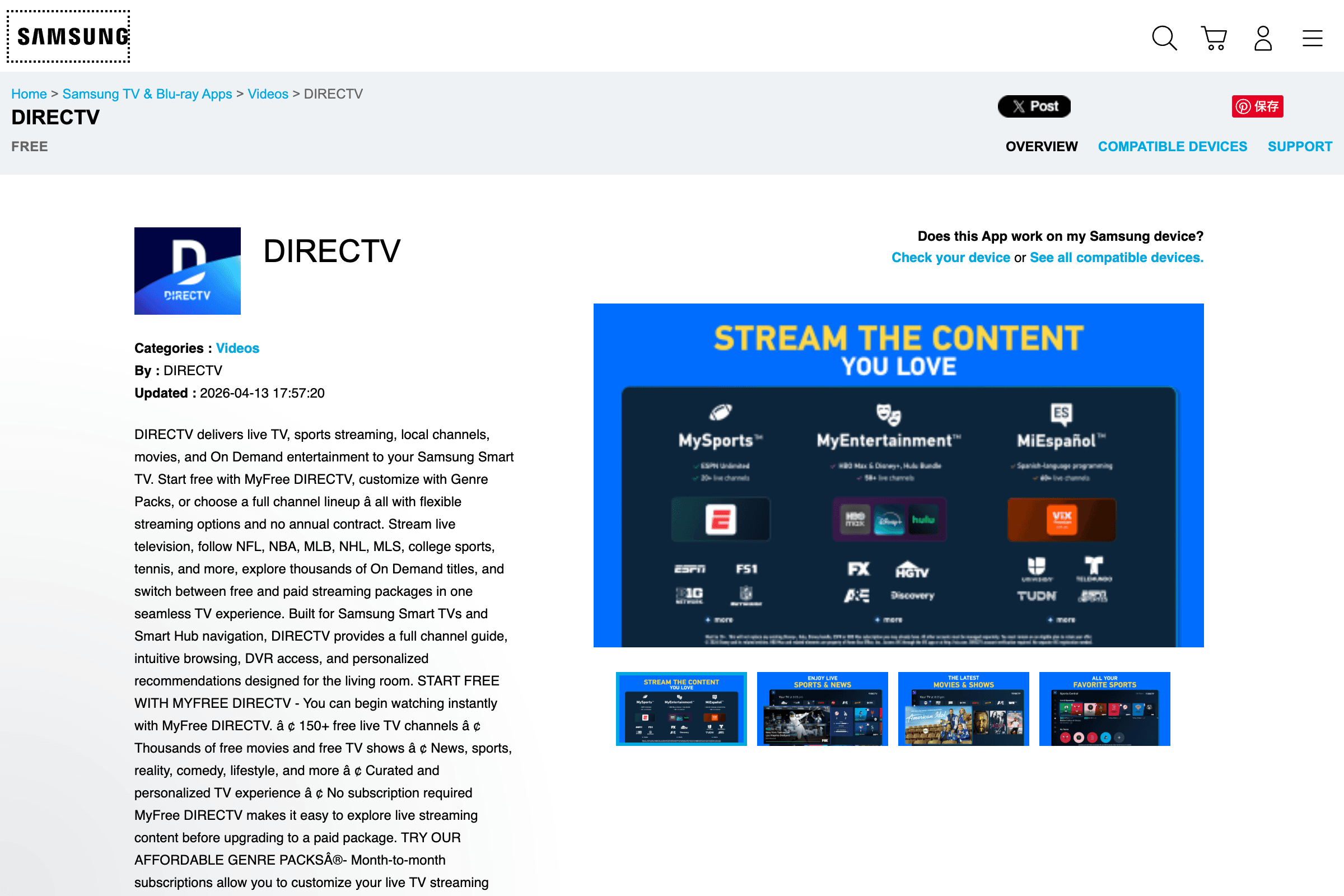
https://www.samsung.com/us/appstore/app/G17347010659/
The Samsung Appstore listing is the safest place to confirm that you are looking at the real DIRECTV app for Samsung Smart TV. Use the TV's built-in app store for installation whenever possible.
What You Need
Before installing, prepare:
- A compatible Samsung Smart TV
- A working internet connection
- A Samsung account on the TV
- A DIRECTV account
- Your DIRECTV user ID and password
If the app store region is not the United States, the app may be unavailable even if the TV hardware is compatible.
How to Install DIRECTV on Samsung TV
On the Samsung TV:
- Press Home on the remote.
- Open Apps.
- Select the search icon.
- Search for "DIRECTV."
- Choose the official DIRECTV app.
- Select Install.
- Open the app after installation.
If the TV asks you to sign in to a Samsung account before installing, complete that step first. App installation is handled by Samsung's app platform, not by a browser download.
Signing In
After opening the app:
- Choose Sign In.
- Enter your DIRECTV user ID.
- Enter your password.
- Complete any verification prompt.
- Wait for the guide and home screen to load.
If the sign-in screen loops, reset your DIRECTV password from a phone or computer, then try again on the TV.
Home Network and Streaming Limits
Some DIRECTV streaming behavior depends on where the TV is used. A living-room device may have different restrictions from a phone or tablet, especially when used outside the home network.
If channels are missing or playback is blocked:
- Confirm that your Samsung TV is on the expected home Wi-Fi.
- Check whether your plan includes the channel.
- Test the same account on a phone or browser.
- Restart the modem, router, and TV.
Do not assume every error means the Samsung app is broken. Account location and plan limits can look like app problems.
When the App Is Missing
If "DIRECTV" does not appear in Samsung Apps:
- Update the Samsung TV firmware.
- Confirm the TV region.
- Sign in to your Samsung account again.
- Search for both "DIRECTV" and "DIRECTV app."
- Check whether your TV model is supported.
- Consider using a Roku, Fire TV, Apple TV, or another supported device.
Older TVs can remain good displays even after their app platform becomes limited. A streaming device is often the cleaner fix.
Common Fixes
| Problem | First Fix |
|---|---|
| App will not open | Restart the TV and reinstall the app |
| Sign-in fails | Reset your DIRECTV password |
| Buffering | Use Ethernet or improve Wi-Fi signal |
| App is missing | Check region, firmware, and model support |
| Some channels missing | Check plan, location, and home network |
If the TV is low on storage, remove unused apps before reinstalling DIRECTV.
Summary
Install DIRECTV from Samsung Apps, sign in with your DIRECTV account, and check region, model support, and home network rules if something fails. If the Samsung TV app is not available or feels unreliable, a dedicated streaming device may be the simplest long-term option.